
Binary Converter to Text Online: Free Binary to Text Decoder
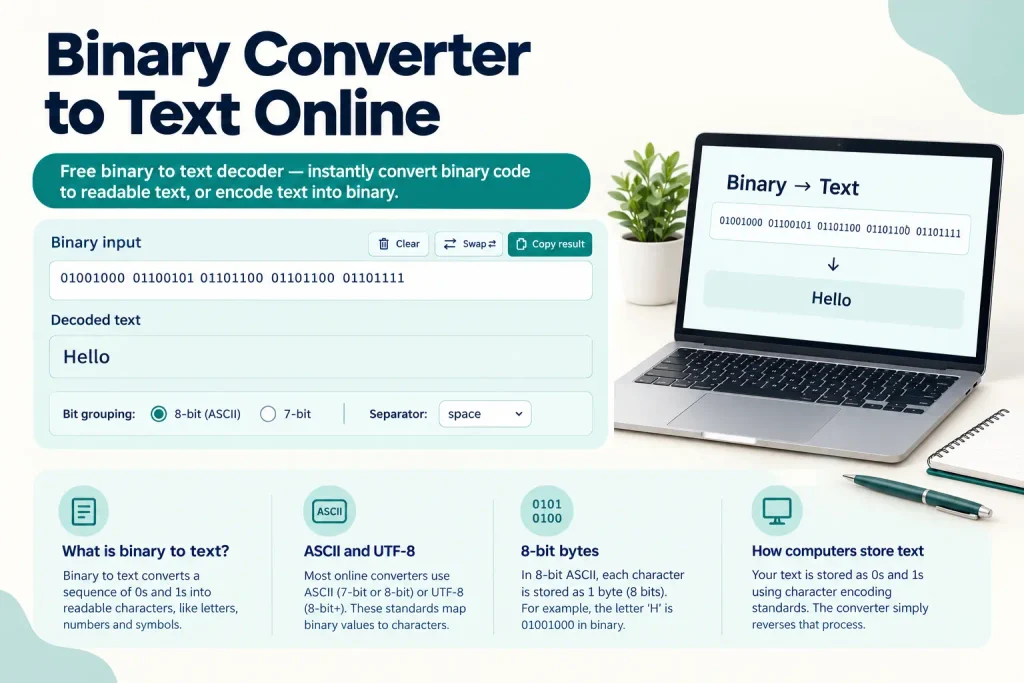
Binary Converter to Text Online
Free online tool to convert binary code to readable text, or text to binary — no downloads, works right in your browser.
Each byte should be 8 bits (0s and 1s) separated by a space — e.g. 01001000 01101001 converts to Hi.
A binary converter to text online translates binary code (sequences of 0s and 1s) into readable characters using encoding standards like ASCII or UTF-8. Each group of eight binary digits (one byte) represents a single character. According to W3Techs, over 98% of websites use UTF-8 encoding as of 2026, making binary-to-text conversion essential for developers, students, and anyone working with digital data.
Binary code is the foundation of all computing. Your computer stores everything—text, images, programs—as binary. Understanding how to convert binary to text helps you grasp how computers process information at the lowest level. This guide shows you how to use a binary converter to text online, explains the conversion process step-by-step, and covers common mistakes people make.
You’ll learn how binary translates to readable characters, which tools work best for different use cases, and when you might need to convert binary code during development or troubleshooting. Let’s start with the basics.
What Is Binary Code and Why Do We Need to Convert It?
Binary code is a number system that uses only two digits: 0 and 1. Every piece of data stored on a computer ultimately exists as binary.
Computers use binary because digital circuits have two states: on (1) and off (0). This simple system powers everything from text files to high-definition video. When you type a letter on your keyboard, your computer converts it to binary, processes it, and displays it on your screen.
One binary digit is called a bit. Eight bits together form a byte. A single byte can represent 256 different values (2^8 = 256), which is enough to cover all standard English characters, numbers, and common symbols using ASCII encoding.
Here’s why binary conversion matters:
- Developers debug programs that handle binary data
- Students learn computer science fundamentals
- Security researchers analyze encoded messages
- Network engineers troubleshoot data transmission
- Anyone working with low-level programming needs to read binary
Binary looks intimidating at first. The sequence “01001000 01100101 01101100 01101100 01101111” doesn’t mean much to most people. But when you run it through a binary to decimal converter and then map those decimal values to characters, it spells “Hello”.
How Binary Represents Text Characters
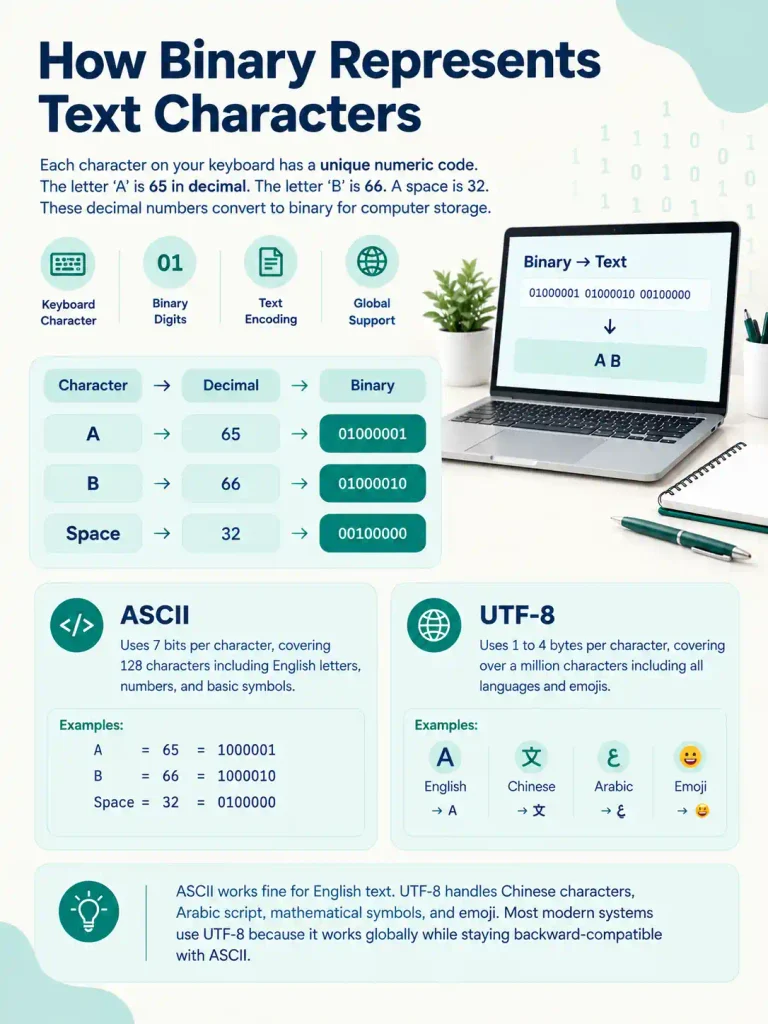
Each character on your keyboard has a unique numeric code. The letter “A” is 65 in decimal. The letter “B” is 66. A space is 32. These decimal numbers convert to binary for computer storage.
Two main encoding systems handle this conversion:
- ASCII – Uses 7 bits per character, covering 128 characters including English letters, numbers, and basic symbols
- UTF-8 – Uses 1 to 4 bytes per character, covering over a million characters including all languages and emojis
ASCII works fine for English text. UTF-8 handles everything else—Chinese characters, Arabic script, mathematical symbols, and emoji. Most modern systems default to UTF-8 because it works globally while staying backward-compatible with ASCII.
How Does a Binary to Text Converter Work?
A binary converter to text online reads your binary input, splits it into 8-bit groups (bytes), converts each byte to a decimal number, and maps that number to a character using an encoding table.
The conversion follows these steps:
- Parse the binary string and remove spaces or line breaks
- Split the remaining digits into groups of eight
- Convert each 8-bit group from base-2 (binary) to base-10 (decimal)
- Look up the decimal value in the encoding table (ASCII or UTF-8)
- Display the corresponding character
- Repeat for all groups until the entire string is decoded
For example, take the binary sequence “01001000”:
| Position | Binary Digit | Power of 2 | Decimal Value |
|---|---|---|---|
| 1 | 0 | 2⁷ = 128 | 0 |
| 2 | 1 | 2⁶ = 64 | 64 |
| 3 | 0 | 2⁵ = 32 | 0 |
| 4 | 0 | 2⁴ = 16 | 0 |
| 5 | 1 | 2³ = 8 | 8 |
| 6 | 0 | 2² = 4 | 0 |
| 7 | 0 | 2¹ = 2 | 0 |
| 8 | 0 | 2⁰ = 1 | 0 |
Add the decimal values where the binary digit is 1: 64 + 8 = 72. In ASCII, decimal 72 equals the letter “H”.
What Encoding Standards Do Converters Use?
Most online binary converters default to UTF-8 because it handles the widest range of characters. UTF-8 uses a clever variable-length system:
- Characters 0-127 use one byte (identical to ASCII)
- Characters 128-2047 use two bytes
- Characters 2048-65535 use three bytes
- Characters above 65535 use four bytes
This means the letter “A” takes one byte, but an emoji like 😊 takes four bytes. Your binary converter must recognize multi-byte sequences to decode UTF-8 correctly. Many converters fall back to ISO-8859-1 (Latin-1) if UTF-8 decoding fails, which covers Western European characters.
How to Use a Binary Converter to Text Online Tool
Using a binary to text converter is straightforward. You paste your binary code, click a button, and get readable text. But small mistakes in your input cause errors or gibberish output.
Follow these steps for clean results:
- Copy your binary string from wherever it appears
- Open your chosen online converter tool
- Paste the binary into the input field
- Check that your binary groups are exactly 8 digits each
- Click the convert or decode button
- Review the output text
- Copy or download the result if needed
Most tools accept binary with spaces between bytes or continuous strings without spaces. If your converter shows an error about “invalid length” or “not divisible by 8,” count your digits. You likely have an incomplete byte somewhere.
Common Input Formats Binary Converters Accept
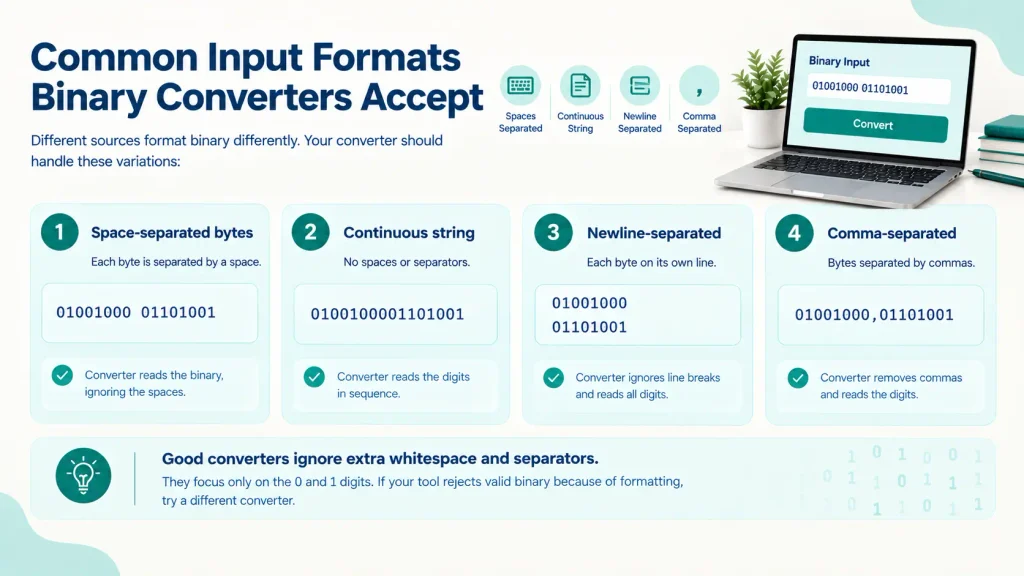
Different sources format binary differently. Your converter should handle these variations:
- Space-separated bytes: 01001000 01101001
- Continuous string: 0100100001101001
- Newline-separated: Each byte on its own line
- Comma-separated: 01001000,01101001
Good converters ignore extra whitespace and separators. They focus only on the 0 and 1 digits. If your tool rejects valid binary because of formatting, try a different converter.
What Are the Most Common Binary to Text Conversion Use Cases?
Binary conversion appears in several real-world scenarios. Developers encounter it most often when debugging low-level code or working with network protocols.
Network engineers see binary when analyzing packet data. Security researchers decode binary when examining malware or encrypted communications. Students learning computer science convert binary to understand how computers store information.
Here are specific situations where you need a binary to text converter:
- Debugging programs that output raw binary data
- Decoding CTF (Capture The Flag) cybersecurity challenges
- Analyzing network packet payloads
- Understanding how files are stored on disk
- Learning assembly language and machine code
- Reverse engineering software to see how it works
- Testing data serialization and deserialization
- Verifying data integrity after transmission
Converting Binary in Programming Languages
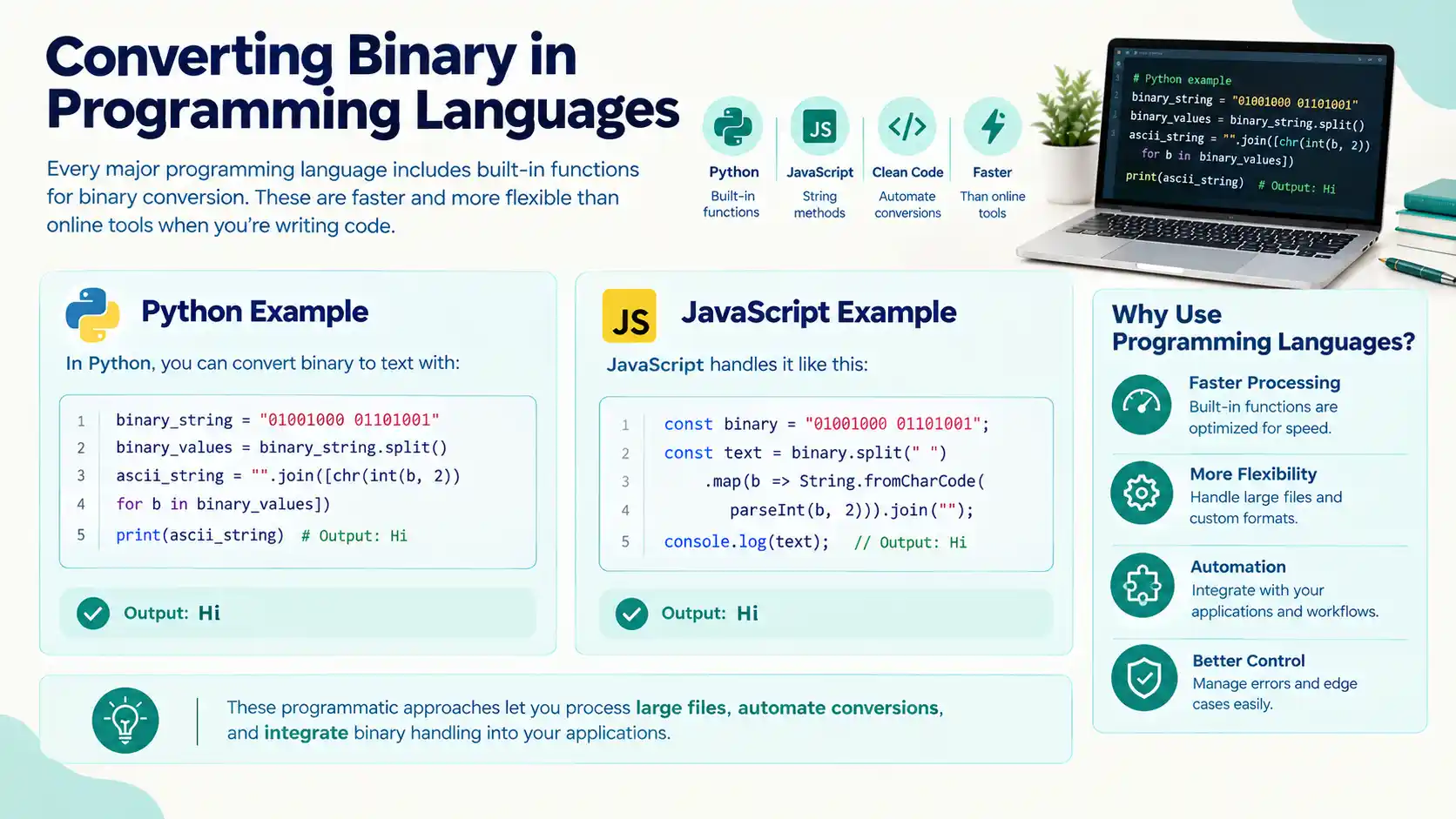
Every major programming language includes built-in functions for binary conversion. These are faster and more flexible than online tools when you’re writing code.
In Python, you can convert binary to text with:
binary_string = “01001000 01101001”
binary_values = binary_string.split()
ascii_string = “”.join([chr(int(b, 2)) for b in binary_values])
print(ascii_string) # Output: Hi
JavaScript handles it like this:
const binary = “01001000 01101001”;
const text = binary.split(” “).map(b => String.fromCharCode(parseInt(b, 2))).join(“”);
console.log(text); // Output: Hi
These programmatic approaches let you process large files, automate conversions, and integrate binary handling into your applications.
What Errors Happen During Binary to Text Conversion?
Binary conversion fails or produces garbage when your input has problems. The most common issue is incorrect byte length. Every character needs exactly eight bits.
If your binary string has 47 bits instead of 48, you’re missing one bit. The converter either refuses to process it or pads it incorrectly, giving you the wrong character at the end.
Other frequent errors include:
- Non-binary characters in the input (letters, symbols other than 0 and 1)
- Invalid UTF-8 sequences that don’t map to real characters
- Wrong encoding assumption (expecting ASCII but getting UTF-8)
- Byte order issues with multi-byte characters
- Leading or trailing whitespace that breaks grouping
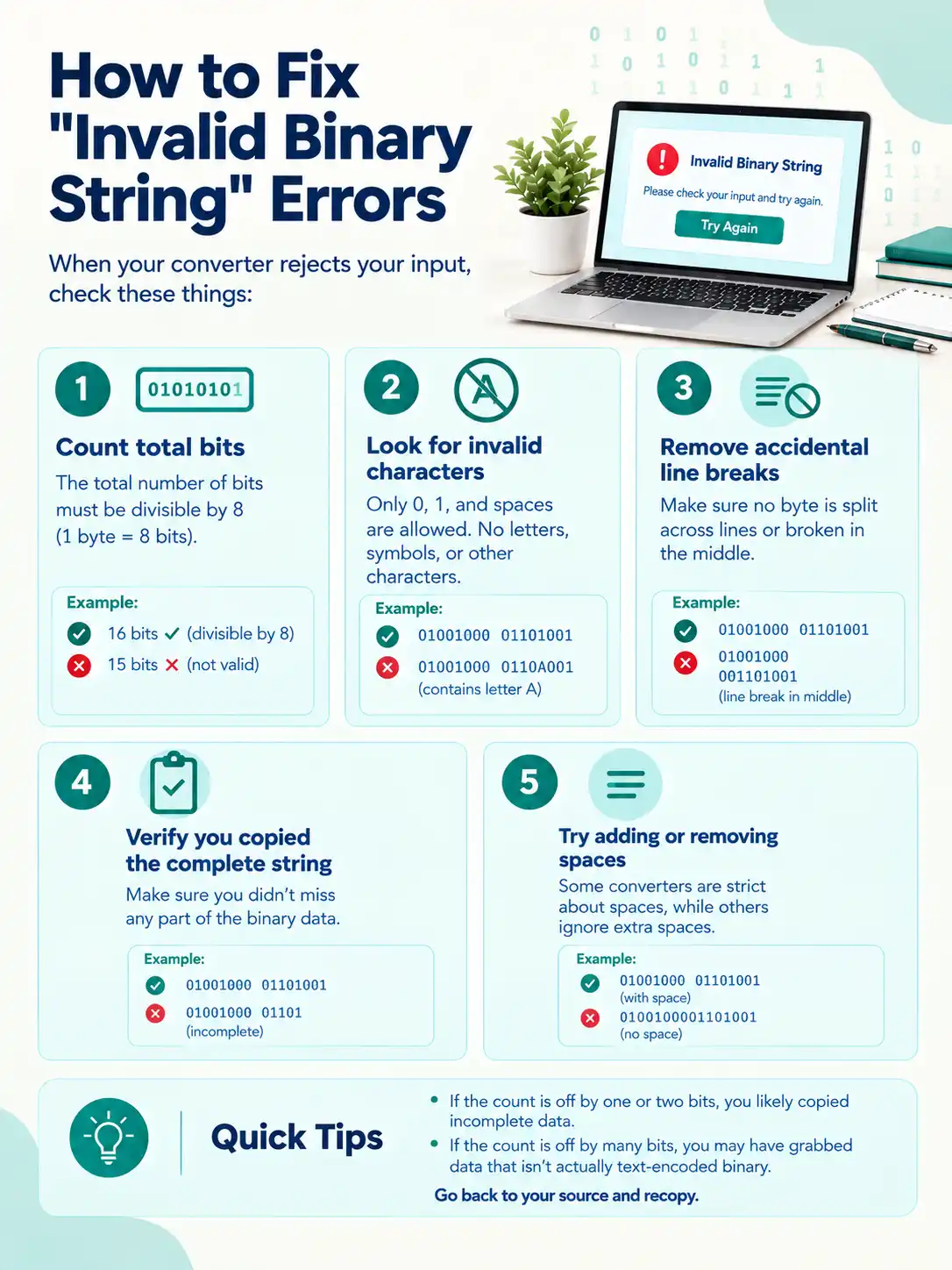
How to Fix “Invalid Binary String” Errors
When your converter rejects your input, check these things:
- Count total bits – must be divisible by 8
- Look for characters other than 0, 1, and spaces
- Remove any accidental line breaks mid-byte
- Verify you copied the complete binary string
- Try adding or removing spaces between bytes
If the count is off by one or two bits, you likely copied incomplete data. Go back to your source and recopy. If the count is off by many bits, you may have grabbed data that isn’t actually text-encoded binary.
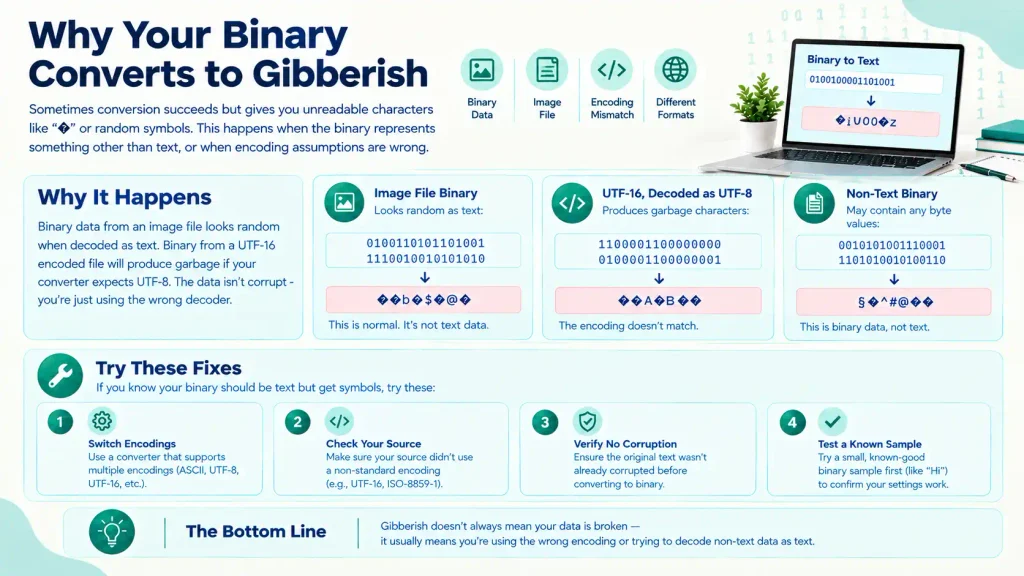
Why Your Binary Converts to Gibberish
Sometimes conversion succeeds but gives you unreadable characters like “�” or random symbols. This happens when the binary represents something other than text, or when encoding assumptions are wrong.
Binary data from an image file looks random when decoded as text. Binary from a UTF-16 encoded file will produce garbage if your converter expects UTF-8. The data isn’t corrupt – you’re just using the wrong decoder.
That said, if you know your binary should be text but get symbols, try these fixes:
- Switch to a converter that supports multiple encodings
- Check if your source used a non-standard encoding
- Verify the original text wasn’t already corrupted
- Test with a small known-good binary sample first
What Is the Difference Between Binary, Octal, and Hexadecimal?
Binary (base-2), octal (base-8), and hexadecimal (base-16) are different number systems used in computing. Each has specific use cases where it’s more convenient than the others.
Binary is fundamental but verbose. The decimal number 255 becomes “11111111” in binary – eight digits instead of three. This makes binary hard to read and error-prone when typed manually.
Hexadecimal solves the verbosity problem. Each hex digit represents exactly four binary digits. The binary “11111111” becomes “FF” in hex – much shorter and easier to type. That’s why developers prefer hex for memory addresses, color codes, and byte dumps.
Octal uses base-8 and was popular in older systems. Each octal digit represents three binary digits. You see it in Unix file permissions (like chmod 755) and some legacy protocols.
| Decimal | Binary | Octal | Hexadecimal |
|---|---|---|---|
| 0 | 0000 | 0 | 0 |
| 1 | 0001 | 1 | 1 |
| 8 | 1000 | 10 | 8 |
| 15 | 1111 | 17 | F |
| 16 | 10000 | 20 | 10 |
| 255 | 11111111 | 377 | FF |
When working with data formats, you’ll often need to convert between these systems. A binary to octal converter helps with Unix permissions. A binary to hexadecimal converter makes memory dumps readable.
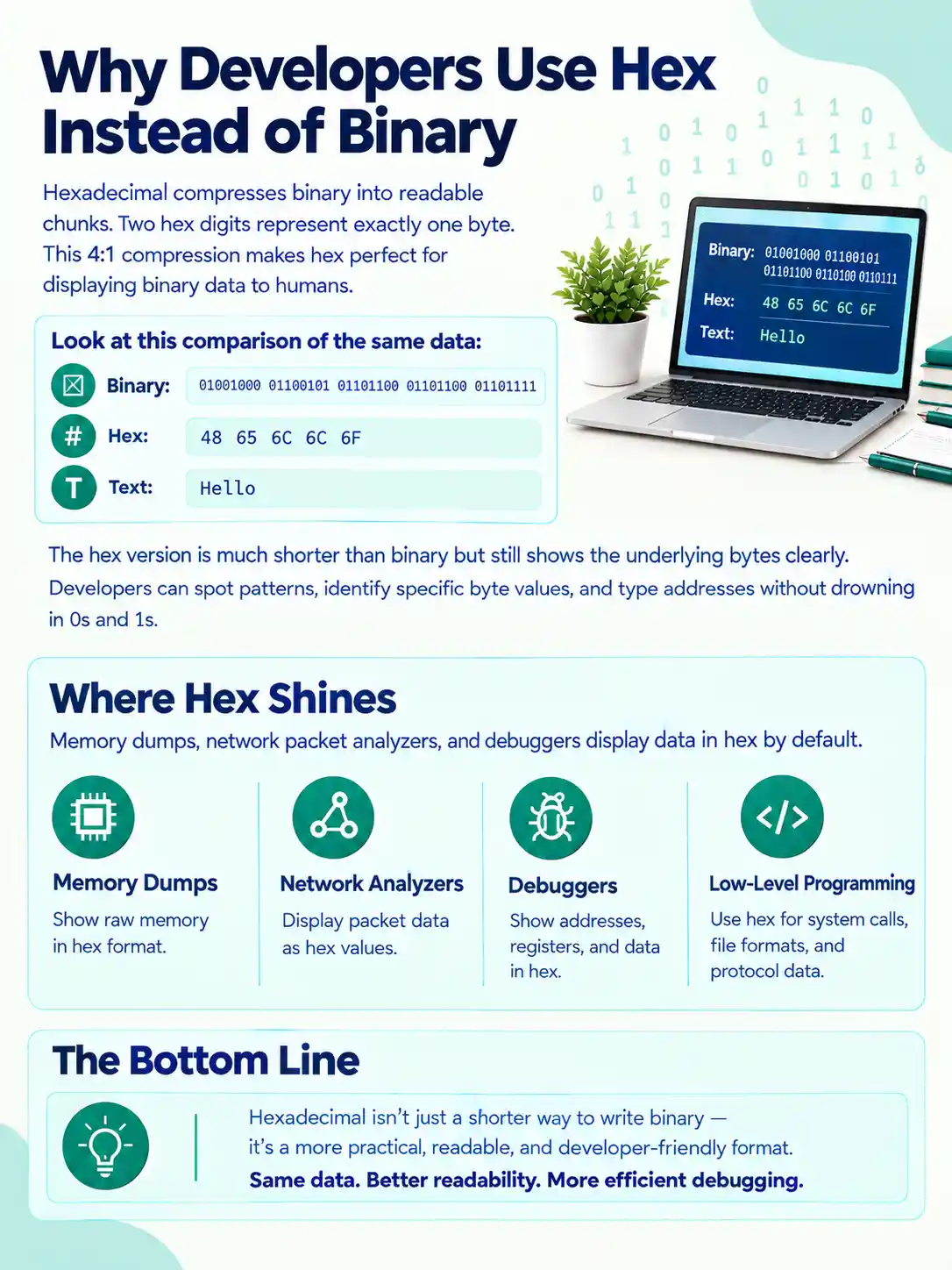
Why Developers Use Hex Instead of Binary
Hexadecimal compresses binary into readable chunks. Two hex digits represent exactly one byte. This 4:1 compression makes hex perfect for displaying binary data to humans.
Look at this comparison of the same data:
- Binary: 01001000 01100101 01101100 01101100 01101111
- Hex: 48 65 6C 6C 6F
- Text: Hello
The hex version is much shorter than binary but still shows the underlying bytes clearly. Developers can spot patterns, identify specific byte values, and type addresses without drowning in 0s and 1s.
Memory dumps, network packet analyzers, and debuggers display data in hex by default. Learning to read hex makes you more effective at low-level debugging.
How Do You Convert Text Back to Binary?
Converting text to binary reverses the decoding process. You take each character, find its numeric code, and convert that number to an 8-bit binary representation.
The steps are:
- Take one character from your text
- Find its Unicode code point (numeric value)
- Convert that decimal number to binary
- Pad the binary to 8 bits (add leading zeros if needed)
- Repeat for every character
- Combine all binary groups with spaces or continuously
For the letter “H”:
- Character: H
- Unicode code point: 72 (decimal)
- Binary: 1001000
- Padded to 8 bits: 01001000
Most online converters offer a “text to binary” mode that does this automatically. You type or paste your text, and the tool outputs the binary representation.
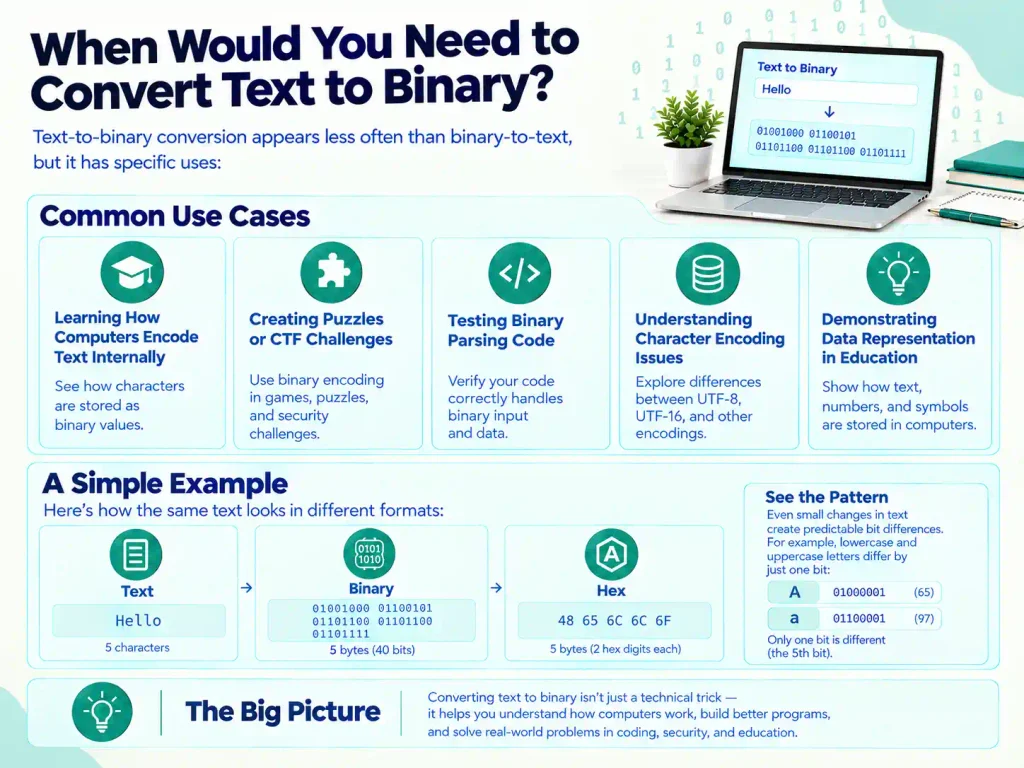
When Would You Need to Convert Text to Binary?
Text-to-binary conversion appears less often than binary-to-text, but it has specific uses:
- Learning how computers encode text internally
- Creating puzzles or CTF challenges
- Testing binary parsing code you’ve written
- Understanding character encoding issues
- Demonstrating data representation in education
Some educational platforms and programming courses use text-to-binary exercises to reinforce how computers store data. Converting your own text helps you see patterns – like how lowercase letters differ from uppercase by a single bit.
What Are the Best Free Binary Converter to Text Online Tools?
Dozens of free binary converters exist online. Most do the basic job fine, but some offer extra features that make them more useful for different scenarios.
Key features to look for:
- UTF-8 support for international characters and emoji
- Batch processing for multiple conversions
- Copy and download buttons for easy result export
- Clear error messages when input is invalid
- No ads or popups interrupting your work
- Mobile-friendly responsive design
- Offline capability or local processing for privacy
Good converters process everything locally in your browser using JavaScript. Your binary data never leaves your computer. This matters if you’re working with sensitive information or confidential code.
Avoid converters that require registration or payment for basic features. Binary conversion is a simple algorithm – you shouldn’t need to pay for it.
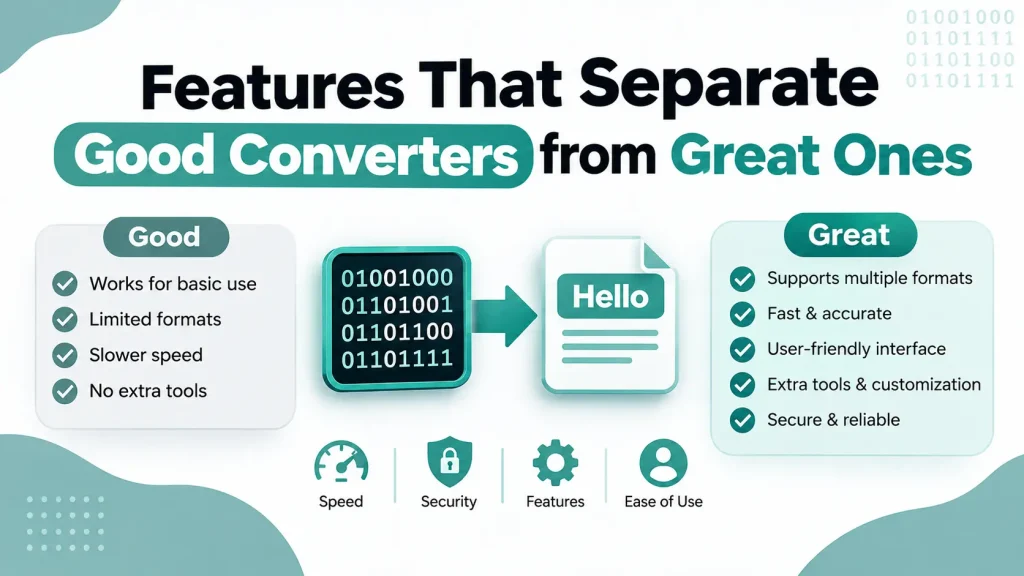
Features That Separate Good Converters from Great Ones
The best binary to text converters go beyond basic conversion:
- Auto-detect mode – Automatically switches between binary-to-text and text-to-binary based on your input
- Strict mode toggle – Lets you disable the 8-bit check for experimental conversions
- Multiple encoding options – Supports ASCII, UTF-8, UTF-16, and ISO-8859-1
- Delimiter choice – Lets you output binary with spaces, newlines, or no separator
- Batch file upload – Converts entire text files at once
- History or saved conversions – Stores recent conversions locally for reference
Advanced tools might include a character-by-character breakdown showing the decimal value and binary for each letter. This helps when you’re learning or debugging specific characters.
Binary to Text Conversion in Real-World Applications
Binary conversion isn’t just academic. It appears in production systems handling data transmission, storage, and security.
Network protocols transmit text as binary across the internet. When you visit a website, your browser sends HTTP requests as binary packets. The server reads those binary packets, converts them to text, processes the request, and sends a binary response back.
File formats encode text in binary. A simple .txt file stores your characters as binary values on disk. More complex formats like JSON or XML also exist as binary under the hood – your text editor converts them for display.
Cryptography and security often involve binary manipulation. Encrypted messages exist as binary until decrypted. Hash functions output binary (though usually displayed as hex). Base64 encoding converts binary to printable text for email and URLs.
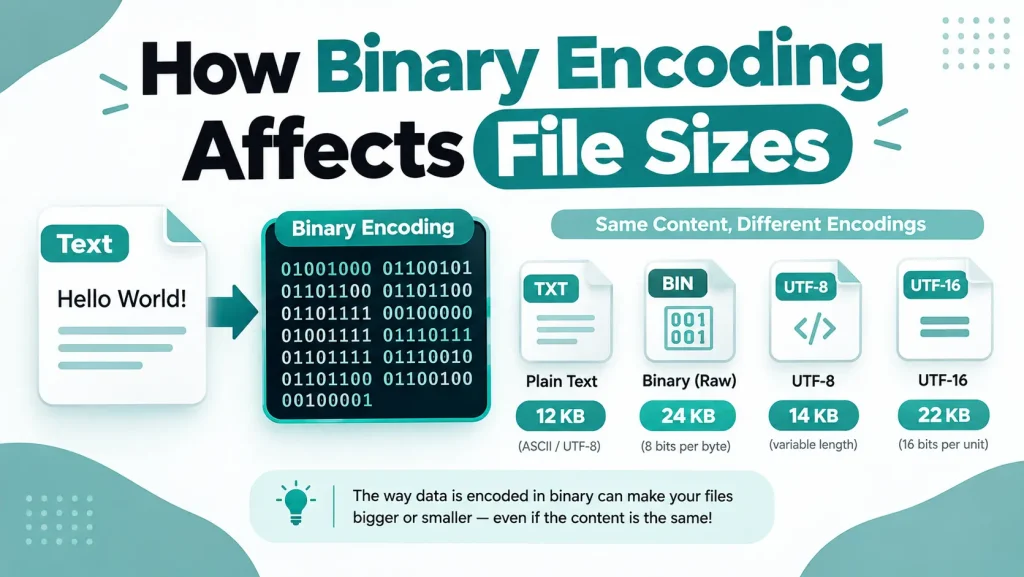
How Binary Encoding Affects File Sizes
Different encoding schemes change file sizes. ASCII uses one byte per character. UTF-8 uses one to four bytes depending on the character. UTF-16 uses two or four bytes.
For English text, ASCII produces the smallest files. For multilingual text, UTF-8 balances efficiency and compatibility. For Asian language texts where most characters need multiple bytes anyway, UTF-16 sometimes produces smaller files than UTF-8.
Understanding these tradeoffs helps you choose the right encoding for your data. If your application only handles English, ASCII or UTF-8 (which are identical for English) makes sense. If you support multiple languages, UTF-8 is the standard choice.
Common Misconceptions About Binary and Text Conversion
Several myths about binary conversion persist. Let’s clear them up.
Misconception: Binary is a language. Binary is a number system, not a language. It’s one way to represent information. Computers use binary because electronic circuits work with two states, not because binary has inherent meaning.
Misconception: All binary data can be converted to readable text. Only binary that was originally encoded from text converts to readable characters. Binary from images, videos, or compiled programs produces gibberish when decoded as text because it wasn’t text to begin with.
Misconception: You need special software to work with binary. Every text editor and most programming languages include built-in binary conversion functions. Online tools make it even easier – no installation required.
Misconception: Binary conversion is slow. Modern computers convert millions of characters per second. The bottleneck is usually your internet connection loading the tool, not the conversion itself.
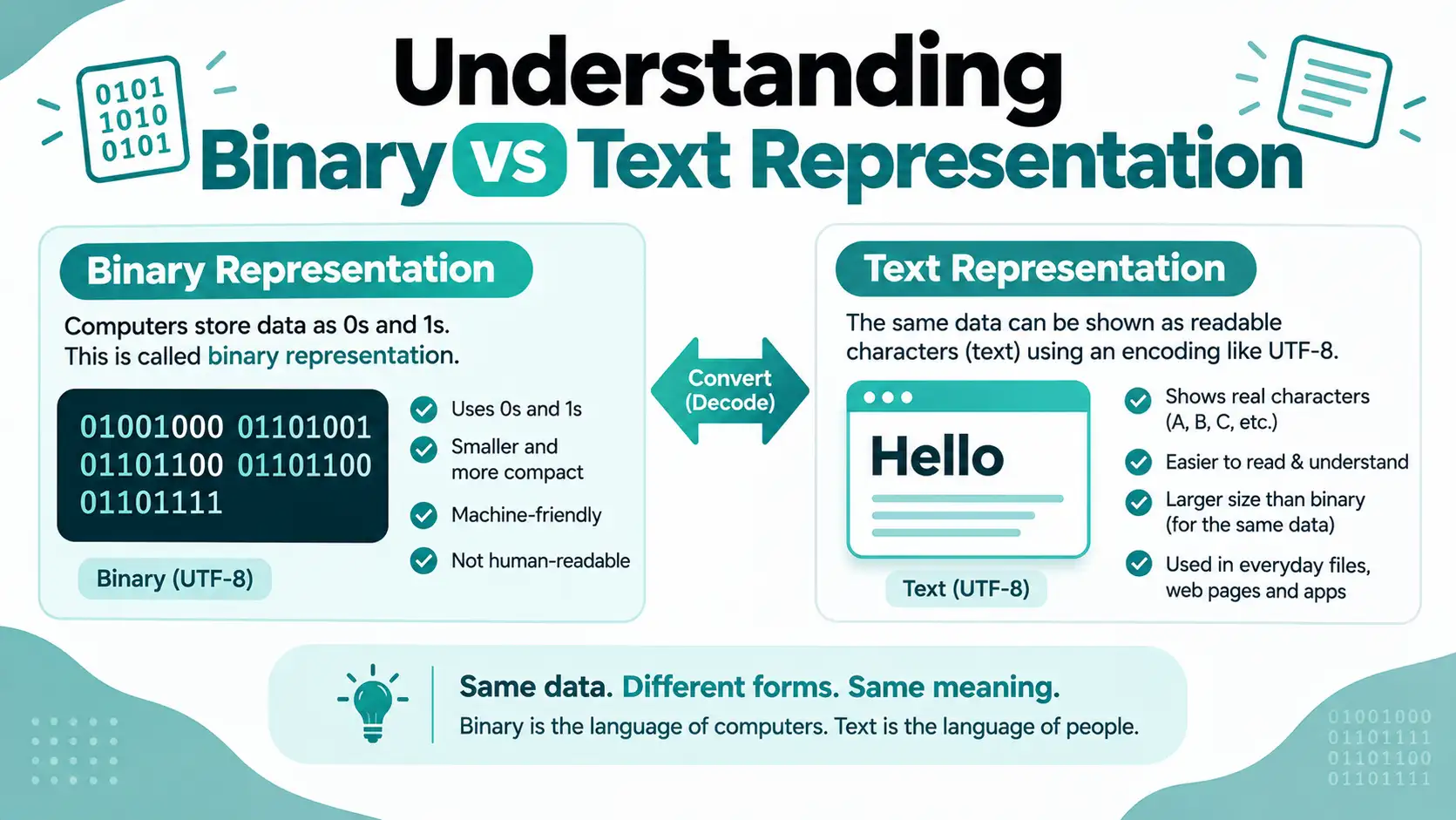
Understanding Binary vs Text Representation
Everything on your computer exists as binary at the hardware level. The difference between “binary data” and “text” is how we interpret those bits.
Text files use agreed-upon encoding standards (ASCII, UTF-8) that map binary values to characters. Image files use different standards that map binary to pixel colors. Audio files map binary to sound wave amplitudes.
When you “convert binary to text,” you’re really just choosing to interpret the binary using text encoding rules. The underlying bits don’t change – only how you read them.
Frequently Asked Questions About Binary to Text Conversion
Mastering Binary Conversion for Development and Learning
Binary to text conversion is fundamental to understanding computers. Every developer benefits from knowing how text encoding works at the binary level. It helps you debug character encoding issues, understand file formats, and write more efficient code.
Start by experimenting with small binary strings. Convert your name to binary and back. Try different characters – numbers, symbols, emoji. Watch how the binary changes. Notice how uppercase and lowercase letters differ by just one bit.
Use online converters for quick one-off conversions. Learn the programmatic approach for automated processing in your code. Keep a binary to ASCII table handy for reference until the common values become second nature.
The more you work with binary, the more patterns you’ll recognize. You’ll start seeing why certain encoding bugs happen and how to fix them. You’ll understand why file sizes change with different encodings. You’ll decode hex dumps in debuggers without thinking twice.
Binary conversion transforms from confusing to intuitive with practice. Keep experimenting and the concepts stick.