
Binary to Decimal Converter: Complete Guide to Converting Binary Numbers
Number base converter
Convert instantly between binary, decimal, hexadecimal, and octal — plus signed 8/16/32-bit views and ASCII.
A binary to decimal converter transforms numbers from base-2 (binary) format into base-10 (decimal) format that humans read naturally. Binary uses only 0s and 1s, while decimal uses digits 0 through 9.
According to IEEE Computer Society research, over 90% of computing operations rely on binary-to-decimal conversion at some stage of data processing. Every time you see a number on your screen, your computer has translated binary code into decimal format.
This guide walks you through everything about conversion binary to decimal. You’ll learn two proven methods, understand signed and unsigned integers, work through real examples, and grasp why computers speak binary while humans prefer decimal. Whether you’re debugging code, studying computer science, or just curious about how numbers work inside machines, you’ll find practical answers here.
What Is Binary and Why Do Computers Use It?
Binary is a number system that uses only two digits: 0 and 1. Computers use binary because digital circuits recognize two states easily—off (0) and on (1)—making binary the natural language of electronics.
The binary numeral system operates on base-2, meaning each position represents a power of 2. The rightmost digit equals 2⁰ (which is 1), the next position left equals 2¹ (which is 2), then 2² (4), 2³ (8), and so on.
Electric circuits have two stable states: voltage present or voltage absent. A transistor is either conducting or not conducting. This physical reality makes binary perfect for digital electronics. Trying to build circuits that distinguish between ten different voltage levels (for decimal) would be unreliable and expensive.
Every piece of data in your computer—text, images, videos, programs—exists as binary at the hardware level. When you type a letter, it gets encoded as binary. When you see a color on screen, it started as binary values for red, green, and blue intensity.
The Structure of Binary Numbers
Binary follows the same positional rules as decimal, but with base-2 instead of base-10. Each position has a place value that’s a power of 2.
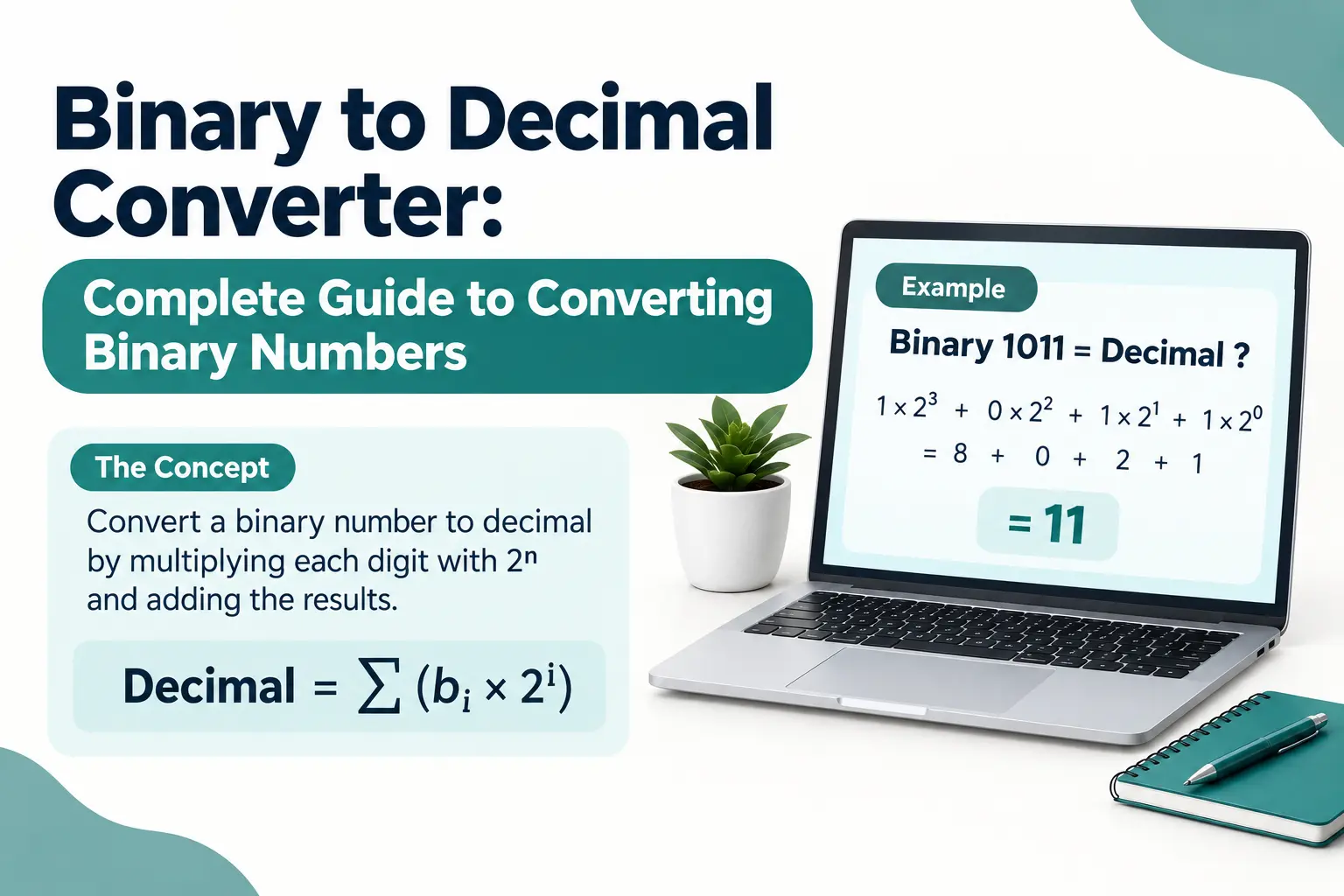
Take the binary number 1011. Reading from right to left:
- First position (2⁰): 1 × 1 = 1
- Second position (2¹): 1 × 2 = 2
- Third position (2²): 0 × 4 = 0
- Fourth position (2³): 1 × 8 = 8
Add those values: 8 + 0 + 2 + 1 = 11 in decimal. That’s how binary represents numbers using just two symbols.
Binary fractions work similarly but use negative powers of 2. The number 101.01 means: (1 × 4) + (0 × 2) + (1 × 1) + (0 × 0.5) + (1 × 0.25) = 5.25 in decimal.
Bits, Bytes, and Binary Storage
A single binary digit is called a bit. It’s the smallest unit of data in computing. Eight bits grouped together form one byte.
Computer memory and storage get measured in bytes and their multiples: kilobytes (1,024 bytes), megabytes (1,024 KB), gigabytes (1,024 MB), and so on. Every byte can represent 256 different values, from 00000000 to 11111111 in binary, or 0 to 255 in decimal.
When programmers talk about 32-bit or 64-bit systems, they’re referring to how many bits the processor handles at once. A 32-bit system works with binary numbers up to 32 digits long. A 64-bit system handles 64-digit binary numbers, allowing much larger values and more memory addresses.
What Is the Decimal Number System?
The decimal system is a base-10 number system using ten digits (0 through 9) where each position represents a power of 10. It’s the standard counting system humans use daily because we have ten fingers.
Decimal evolved naturally from human anatomy. Ancient civilizations counted on their fingers, leading to a ten-based system. The Hindu-Arabic numeral system refined this approach around 500 CE, introducing positional notation and the concept of zero.
In decimal, each position has a place value based on powers of 10. The number 5,432 breaks down as:
- 5 × 1,000 (10³)
- 4 × 100 (10²)
- 3 × 10 (10¹)
- 2 × 1 (10⁰)
Decimals work the same way but use negative powers: 0.75 equals (7 × 10⁻¹) + (5 × 10⁻²), or 7/10 + 5/100.
Why Decimal Matters for Binary Conversion
Humans think in decimal. Computers think in binary. Every interaction between person and machine involves translating between these two systems.
When you type “100” into a calculator, you’re entering a decimal value. The calculator converts it to binary (1100100) internally, performs operations, then converts the result back to decimal for display. This happens billions of times per second in modern devices.
Understanding decimal structure helps you grasp binary conversion. Both systems use positional notation—they just use different bases. Once you see that pattern, number conversion binary to decimal becomes logical rather than mysterious.
How to Convert Binary to Decimal: The Positional Method
The positional method converts binary to decimal by multiplying each binary digit by its position’s power of 2, then adding all results together. This method works for any binary number, integer or fractional.
This is the most straightforward way to change binary to decimal. You calculate the value each position contributes, then sum everything.
Step-by-Step Conversion Process
Here’s how to convert binary to decimal using positional notation:
- Write down the binary number
- Number each digit position from right to left, starting at 0
- Multiply each digit by 2 raised to its position number
- Add all the results together
Let’s convert 11010 from binary to decimal:
| Position | Power of 2 | Binary Digit | Calculation | Value |
|---|---|---|---|---|
| 4 | 2⁴ = 16 | 1 | 1 × 16 | 16 |
| 3 | 2³ = 8 | 1 | 1 × 8 | 8 |
| 2 | 2² = 4 | 0 | 0 × 4 | 0 |
| 1 | 2¹ = 2 | 1 | 1 × 2 | 2 |
| 0 | 2⁰ = 1 | 0 | 0 × 1 | 0 |
Total: 16 + 8 + 0 + 2 + 0 = 26 in decimal
Notice that zeros contribute nothing to the final value. You can skip multiplying positions that contain 0 to speed up the process.
Converting Binary Fractions to Decimal
Binary numbers with fractional parts use negative powers of 2 after the binary point (the binary version of a decimal point).
Convert 101.11 to decimal:
Integer part (101):
- 1 × 4 = 4
- 0 × 2 = 0
- 1 × 1 = 1
- Sum = 5
Fractional part (.11):
- 1 × 0.5 (2⁻¹) = 0.5
- 1 × 0.25 (2⁻²) = 0.25
- Sum = 0.75
Total: 5 + 0.75 = 5.75 in decimal
The positional method handles any binary value, but it requires writing out many calculations for long numbers. That’s where the double dabble method becomes useful.
How to Convert Binary to Decimal: The Double Dabble Method
Double dabble converts binary to decimal by repeatedly doubling a running total and adding the next binary digit from left to right. This mental math technique works faster than positional notation for long binary strings.
Programmers and engineers prefer this method because you can do it in your head without writing position values. It’s particularly efficient when working with longer binary numbers.
The Double Dabble Algorithm
Follow these steps for binary conversion to decimal using double dabble:
- Start with a total of 0
- Read the binary number from left to right
- For each digit: double your current total, then add the digit
- After the last digit, you have your decimal answer
Convert 1101 using double dabble:
- Start: 0
- First digit is 1: (0 × 2) + 1 = 1
- Second digit is 1: (1 × 2) + 1 = 3
- Third digit is 0: (3 × 2) + 0 = 6
- Fourth digit is 1: (6 × 2) + 1 = 13
Result: 13 in decimal
The beauty of this method is that you only keep track of one number at a time. You don’t need to calculate powers of 2 or remember multiple intermediate values.
Why Double Dabble Works
The algorithm exploits the mathematical relationship between binary positions. Doubling shifts everything one position left in binary terms, making room for the next digit.
Think of it this way: when you double a number in decimal, you’re multiplying by 10 and shifting positions. In binary, doubling multiplies by 2 and shifts positions. Adding the next digit fills that new rightmost position.
This method only works for integer binary numbers. For fractions, stick with the positional method.
Practicing Double Dabble
Try converting 10110 mentally:
- 0 (starting)
- (0 × 2) + 1 = 1
- (1 × 2) + 0 = 2
- (2 × 2) + 1 = 5
- (5 × 2) + 1 = 11
- (11 × 2) + 0 = 22
Answer: 22
With practice, you can convert to binary to decimal in seconds without writing anything down. This skill proves valuable when reading binary data, debugging programs, or working with network addresses.
What Is the Difference Between Signed and Unsigned Binary Numbers?
Unsigned binary numbers represent only positive values and zero, using all bits for magnitude. Signed binary numbers reserve the leftmost bit to indicate positive or negative, reducing the maximum value but allowing negative numbers.
This distinction matters when you convert binary numbers to decimal. The same binary string means different things depending on whether you interpret it as signed or unsigned.
Unsigned Binary Interpretation
Unsigned binary uses every bit as a value bit. An 8-bit unsigned number ranges from 00000000 (0) to 11111111 (255).
When you see 11111111 and treat it as unsigned:
- 128 + 64 + 32 + 16 + 8 + 4 + 2 + 1 = 255
Unsigned interpretation works well for counts, array indices, memory addresses, or any value that’s never negative. Most convert text to binary online tools produce unsigned values when encoding characters.
Signed Binary and Two’s Complement
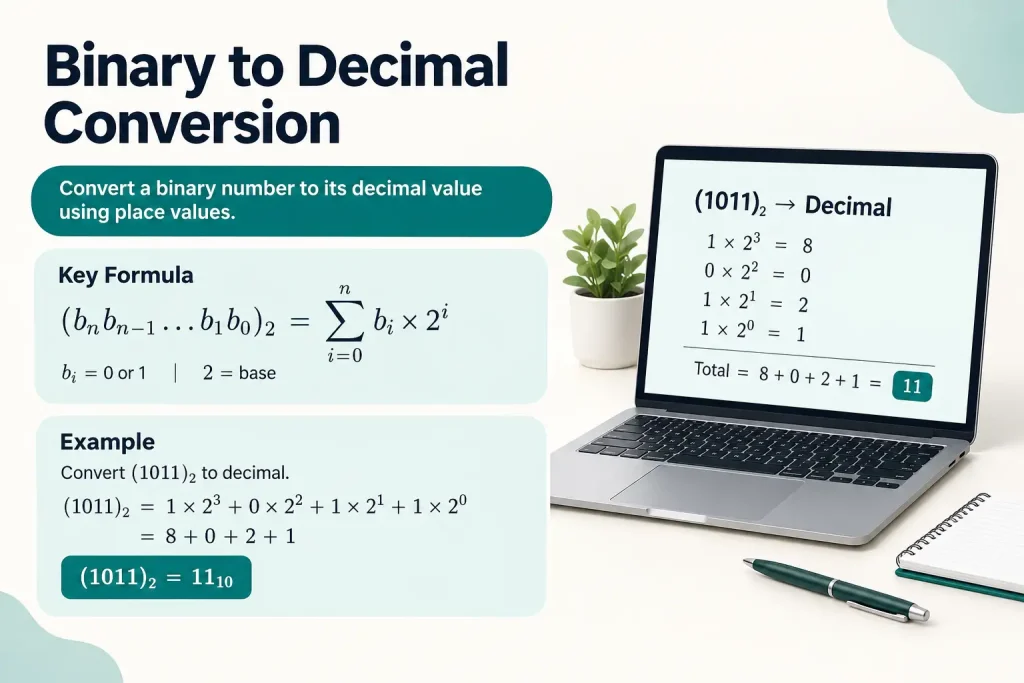
Signed binary reserves the leftmost bit as a sign bit. If that bit is 0, the number is positive. If it’s 1, the number is negative.
Computers use two’s complement representation for signed numbers. To find the decimal value of a negative two’s complement number:
- Flip all bits (change 0 to 1, and 1 to 0)
- Add 1 to the result
- Calculate the decimal value
- Add a negative sign
Take 11111111 as an 8-bit signed number:
- The leftmost bit is 1, so it’s negative
- Flip all bits: 00000000
- Add 1: 00000001
- Decimal value: 1
- Apply sign: -1
That same binary string (11111111) means 255 unsigned but -1 signed. Context determines which interpretation applies.
Bit Width and Value Ranges
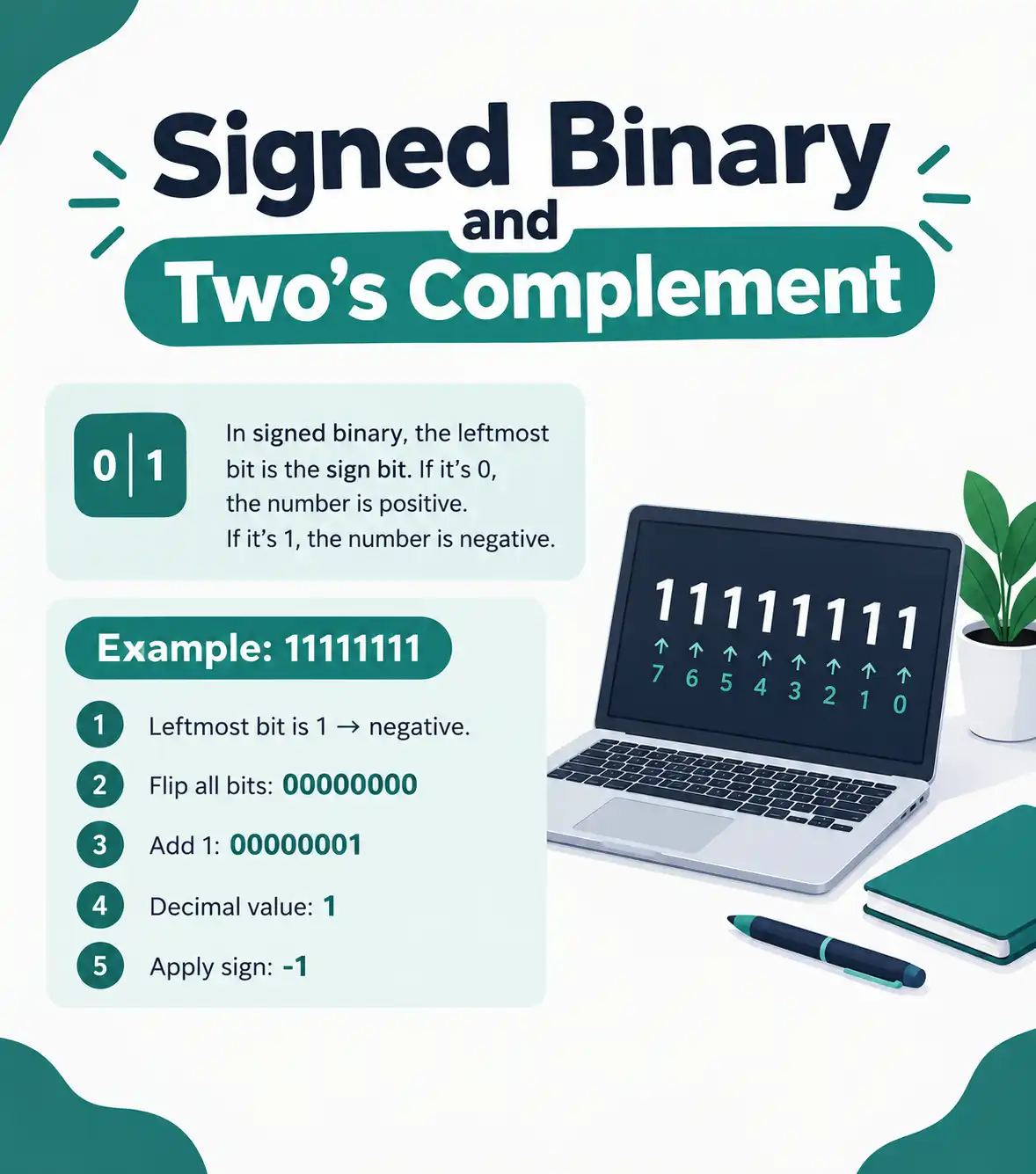
The number of bits determines what values you can represent:
| Bit Width | Unsigned Range | Signed Range |
| 8 bits | 0 to 255 | -128 to 127 |
| 16 bits | 0 to 65,535 | -32,768 to 32,767 |
| 32 bits | 0 to 4,294,967,295 | -2,147,483,648 to 2,147,483,647 |
| 64 bits | 0 to 18,446,744,073,709,551,615 | -9,223,372,036,854,775,808 to 9,223,372,036,854,775,807 |
Signed numbers sacrifice half their range to represent negative values. An 8-bit signed integer can’t store values above 127, while an 8-bit unsigned integer goes up to 255.
Programming languages specify integer types as signed or unsigned. In C, “unsigned int” tells the compiler to interpret all bits as magnitude. Plain “int” defaults to signed in most implementations.
How Do You Convert Large Binary Numbers to Decimal?
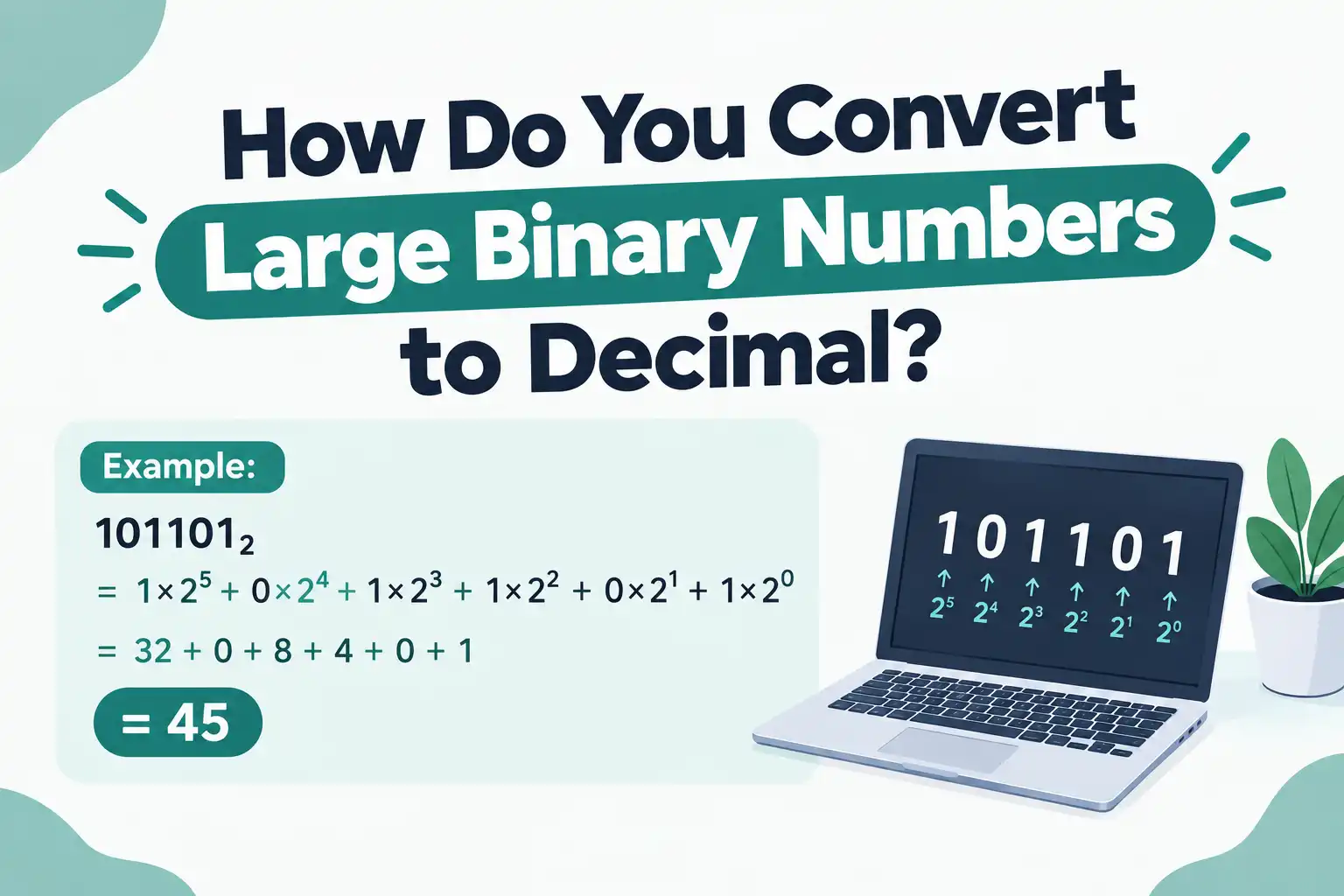
Convert large binary numbers to decimal using the same positional or double dabble methods, but break the number into manageable chunks or use a calculator for position values beyond 2¹⁰ (1,024). Most converters handle arbitrary-length binary strings automatically.
Long binary strings appear frequently in computing: memory addresses, file sizes, cryptographic hashes, and network data. Converting them by hand becomes tedious, but the principles remain identical.
Working with Extended Binary Strings
A 32-bit binary number has 32 positions to calculate. Writing out every power of 2 from 2⁰ to 2³¹ takes time and introduces error risk.
Practical strategies for decimal binary to decimal conversion of long numbers:
- Use digital tools for the actual calculation
- Understand the method so you can verify results
- Break numbers into 8-bit or 16-bit chunks if working manually
- Recognize common patterns (all 1s, alternating digits, powers of 2)
For example, 11111111111111111111111111111111 (32 ones) equals 4,294,967,295. You can memorize that 2³² – 1 gives this maximum 32-bit unsigned value rather than calculating each position.
Binary Grouping and Readability
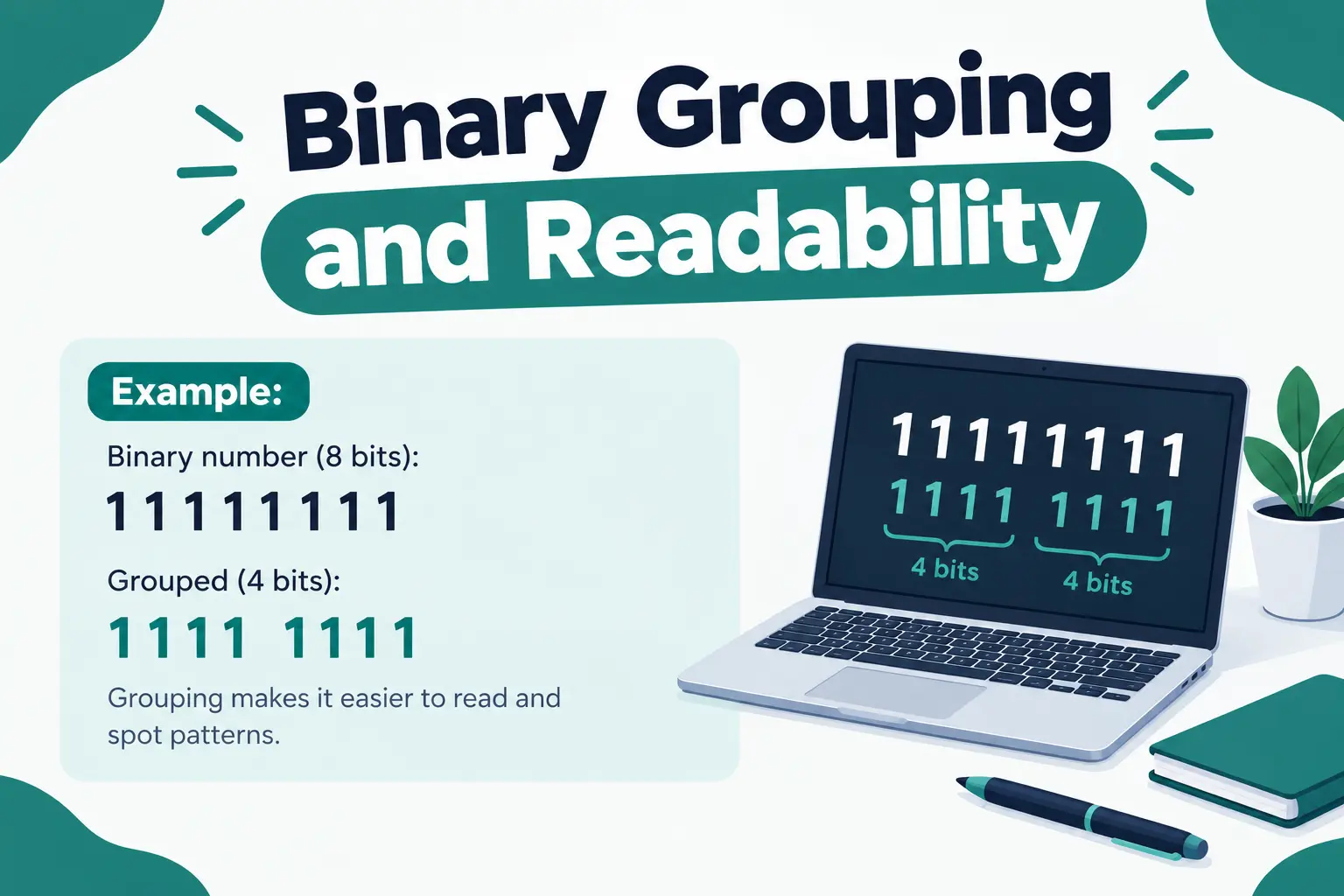
Long binary strings become easier to read when grouped by fours or eights. Instead of writing 1010110111001101, write it as 1010 1101 1100 1101 or 10101101 11001101.
These groups align with hexadecimal (4 bits per hex digit) or byte boundaries (8 bits), making conversion to other bases more convenient. When you work with binary to hexadecimal conversion, grouping by fours lets you translate each group independently.
Handling Binary Data in Real Applications
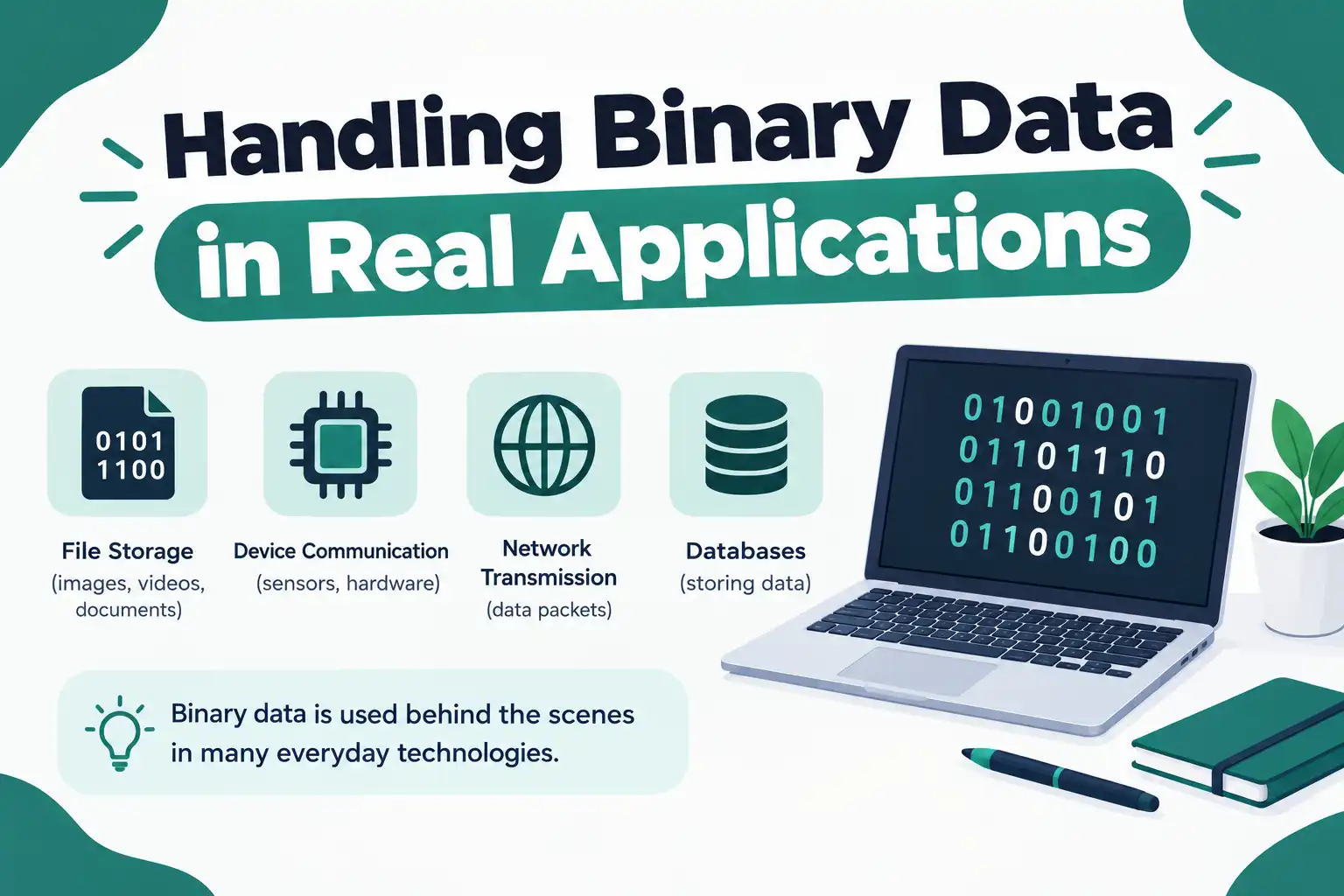
Software developers rarely convert long binary manually. Programming languages provide built-in functions:
- Python: int(‘10110’, 2) returns 22
- JavaScript: parseInt(‘10110’, 2) returns 22
- Java: Integer.parseInt(“10110”, 2) returns 22
- C: strtol(“10110”, NULL, 2) returns 22
These functions implement the conversion algorithms efficiently. Understanding how they work helps you catch errors when results look wrong or when you need to optimize performance-critical code.
What Are Common Binary to Decimal Conversion Examples?
Common binary to decimal conversions include small integers (1010 = 10), byte values (11111111 = 255), powers of two (10000000 = 128), and IP address octets (11000000 = 192). Practicing these builds pattern recognition for faster conversion.
Certain binary numbers appear repeatedly in computing. Learning their decimal equivalents saves time and helps you spot values instantly.
Essential Binary-Decimal Pairs
| Binary | Decimal | Significance |
|---|---|---|
| 10 | 2 | Base of binary system |
| 100 | 4 | Common byte alignment |
| 1000 | 8 | Bits in a byte |
| 10000 | 16 | Hexadecimal base |
| 100000 | 32 | Common word size |
| 1000000 | 64 | Modern processor width |
| 10000000 | 128 | Midpoint of 8-bit range |
| 11111111 | 255 | Maximum 8-bit unsigned |
| 100000000 | 256 | Values in one byte |
| 1111111111 | 1,023 | Maximum 10-bit value |
| 10000000000 | 1,024 | One kilobyte (binary) |
Working Through Complex Examples
| Conversion | Calculation | Result |
|---|---|---|
| 110101 → Decimal (Positional Method) |
1 × 32 = 32 | 32 |
| 1 × 16 = 16 | 16 | |
| 0 × 8 = 0 | 0 | |
| 1 × 4 = 4 | 4 | |
| 0 × 2 = 0 | 0 | |
| 1 × 1 = 1 | 1 | |
| Total: 32 + 16 + 4 + 1 | 53 | |
| 1001110 → Decimal (Double Dabble) |
0 | 0 |
| (0 × 2) + 1 = 1 | 1 | |
| (1 × 2) + 0 = 2 | 2 | |
| (2 × 2) + 0 = 4 | 4 | |
| (4 × 2) + 1 = 9 | 9 | |
| (9 × 2) + 1 = 19 | 19 | |
| (19 × 2) + 1 = 39 | 39 | |
| (39 × 2) + 0 = 78 | 78 | |
| Result | Double dabble result | 78 |
Binary Patterns in Network Addressing
IP addresses use binary extensively. Each octet of an IPv4 address is an 8-bit number. The address 192.168.1.1 translates to binary as:
| Decimal | Binary |
|---|---|
| 192 | 11000000 |
| 168 | 10101000 |
| 1 | 00000001 |
| 1 | 00000001 |
Understanding number conversion binary to decimal helps network engineers work with subnet masks, calculate address ranges, and troubleshoot routing issues. The binary form reveals which bits are network bits versus host bits.
How Do Binary to Decimal Converters Work?
Binary to decimal converters implement positional notation algorithms in software, multiplying each bit by its power of 2 and summing results. Most support both integer and fractional inputs, signed and unsigned interpretation, and validate that input contains only 0 and 1.
Online conversion tools make binary conversion to decimal instant, but knowing what happens behind the interface helps you use them effectively and spot errors.
Core Converter Features
A quality binary to dec converter offers:
- Input validation (rejects characters other than 0, 1, and decimal point)
- Automatic calculation on input or button press
- Support for large numbers (64+ bits)
- Signed and unsigned mode selection
- Bit width options (8, 16, 32, 64 bits)
- Clear error messages for invalid input
- Copy-to-clipboard functionality
- Reverse conversion (decimal to binary)
Advanced converters show step-by-step calculations so you can learn the method while getting results. Some display the binary number with position markers above each digit.
Client-Side vs Server-Side Conversion
Most binary converters run entirely in your browser using JavaScript. This means:
- Your data never leaves your computer
- Conversion happens instantly without network delay
- The tool works offline once loaded
- No privacy concerns about what you’re converting
Server-side converters send your input to a remote computer for processing. They’re less common for simple conversions but might appear in larger calculation suites or educational platforms.
Implementation Details
A basic binary to decimal converter in JavaScript looks like this conceptually:
- Take the input string
- Check that it contains only valid characters
- Split the string into individual digits
- Reverse the order (or read right-to-left)
- For each digit, multiply by 2 raised to its position
- Sum all results
- Display the answer
Most languages include built-in functions that handle this process. The converter just provides a user interface and calls the conversion function with appropriate parameters.
When Do You Need Binary and Decimal Conversion?
Binary and decimal conversion is necessary when programming computers, working with network protocols, analyzing data at the bit level, learning computer science fundamentals, or debugging hardware interfaces. Any field touching digital electronics uses these conversions regularly.
Understanding when and why to change binary to decimal helps you recognize patterns in your work and choose the right tools.
Software Development Applications
Programmers encounter binary regularly:
- Bitwise operations (AND, OR, XOR, shift)
- Flag variables (single integer storing multiple boolean values)
- File format analysis (reading binary file headers)
- Permissions (Unix file permissions as 3-digit octal from binary)
- Color codes (RGB values often expressed in hex from binary)
- Debugging (examining memory dumps and register values)
A Binary to string converter helps decode text stored as binary, while reverse conversion encodes strings into binary for transmission or storage.
Networking and Communications
Network protocols operate on binary data:
- IP address calculations and subnet masks
- MAC address interpretation
- Packet header analysis
- Port number ranges
- Protocol flags and options
A network engineer might need to convert binary to denary to understand whether an IP address falls within a particular subnet or to calculate how many hosts a network supports.
Digital Electronics and Embedded Systems
Hardware designers and embedded programmers work directly with binary:
- Reading sensor data from I²C or SPI buses
- Configuring hardware registers
- Setting GPIO pin states
- Analyzing oscilloscope or logic analyzer captures
- Implementing communication protocols
An Arduino sketch might read a binary sensor value and need to convert to binary to decimal for display on a screen or comparison against threshold values.
Education and Learning
Students learning computer science fundamentals practice conversions to understand:
- How computers represent numbers internally
- Why there are limits on integer size
- What causes integer overflow
- How floating-point numbers work
- Why binary is more fundamental than decimal
Mastering conversion of binary to decimal builds number sense that applies across computing topics. It’s like learning multiplication tables—tedious at first but foundational for everything else.
What Are the Limitations of Binary to Decimal Conversion?
Binary to decimal conversion has no mathematical limitations but faces practical constraints from bit width (maximum representable value), signed vs unsigned interpretation ambiguity, and precision loss when converting certain decimal fractions back to binary. Conversion itself is always exact.
Understanding these limitations prevents confusion when working with binary data.
Bit Width Constraints
The number of bits determines the largest value you can represent. An 8-bit number can’t store values above 255 unsigned or above 127 signed.
This creates overflow situations. If you add 1 to 11111111 (255) in 8-bit unsigned arithmetic, you get 100000000—but that ninth bit doesn’t fit. The result wraps around to 00000000 (0).
Binary to decimal conversion shows you the value within the specified width. Converting a truncated result back won’t recover lost information.
Bit Width Constraints
The number of bits determines the largest value you can represent. An 8-bit number can’t store values above 255 unsigned or above 127 signed.
This creates overflow situations. If you add 1 to 11111111 (255) in 8-bit unsigned arithmetic, you get 100000000—but that ninth bit doesn’t fit. The result wraps around to 00000000 (0).
Binary to decimal conversion shows you the value within the specified width. Converting a truncated result back won’t recover lost information.
Ambiguity Without Context
The binary string 10000000 could mean:
128 (unsigned 8-bit)
-128 (signed 8-bit two’s complement)
Different values if interpreted as 7-bit or 9-bit
Context matters. A binary converter needs to know your intended interpretation. Most let you specify signed/unsigned and bit width to resolve ambiguity.
Character Encoding Complexities
Converting text to binary requires an encoding scheme (ASCII, UTF-8, UTF-16). The same binary might represent different characters under different encodings.
Tools that binary to octal or other bases often assume 8-bit bytes. Multibyte characters in Unicode need careful handling to avoid corruption during conversion.
How Does Binary to Denary Conversion Relate to Other Base Conversions?
Binary to denary conversion is one case of general base conversion, using the same positional notation principles that work for any base. Converting between binary (base-2), octal (base-8), decimal (base-10), and hexadecimal (base-16) all follow the multiply-and-sum pattern.
Learning binary-decimal conversion gives you a template for understanding any radix conversion.
Octal and Hexadecimal Relationships
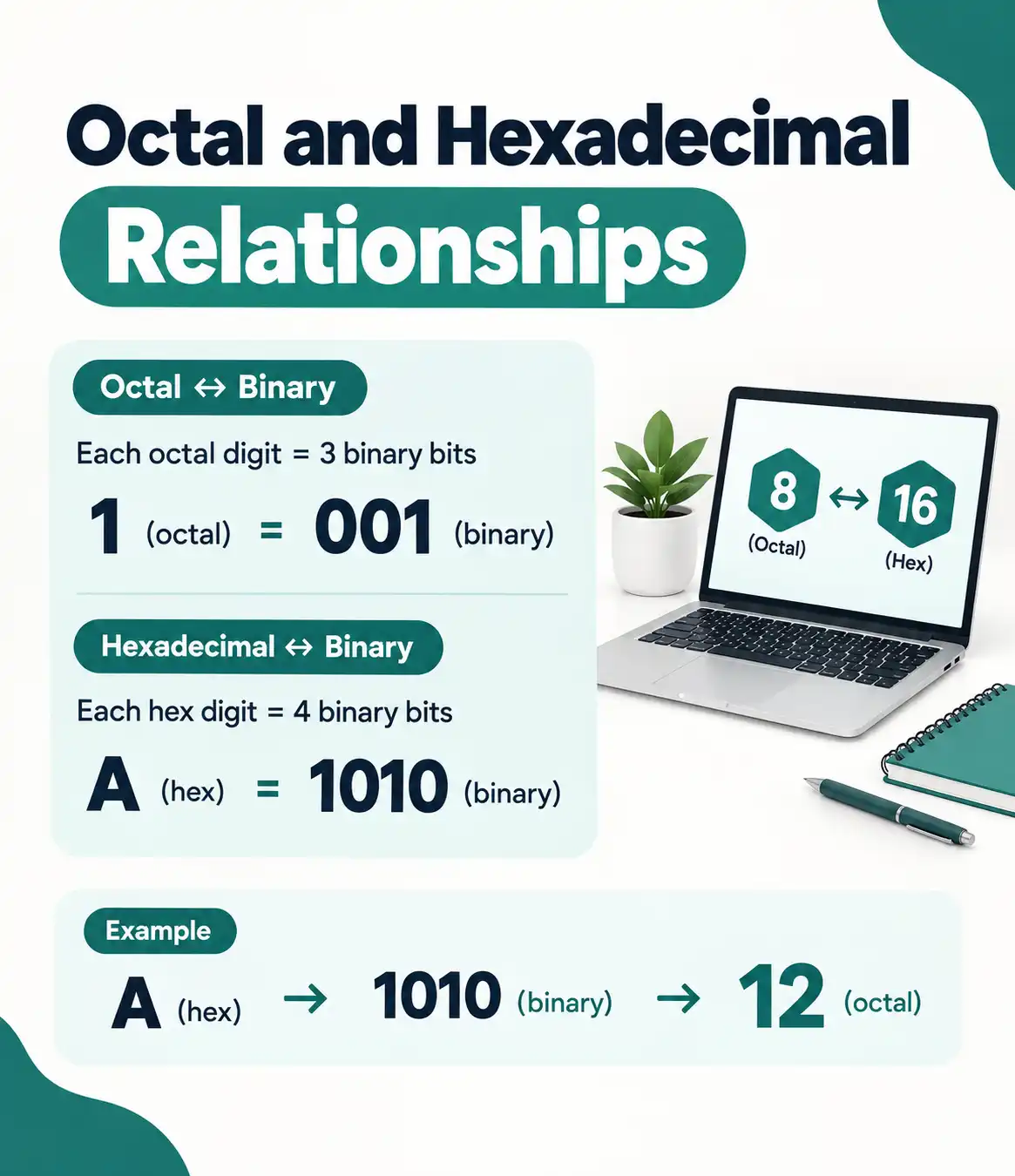
Octal (base-8) and hexadecimal (base-16) are popular in computing because they’re compact representations of binary.
Each octal digit corresponds to exactly 3 binary bits:
- 0 = 000
- 1 = 001
- 2 = 010
- 7 = 111
Each hexadecimal digit maps to 4 binary bits:
- 0 = 0000
- 9 = 1001
- A = 1010
- F = 1111
This makes conversion between binary and hex or octal trivial—just group bits and translate. Converting binary to decimal requires actual arithmetic since decimal (base-10) isn’t a power of 2.
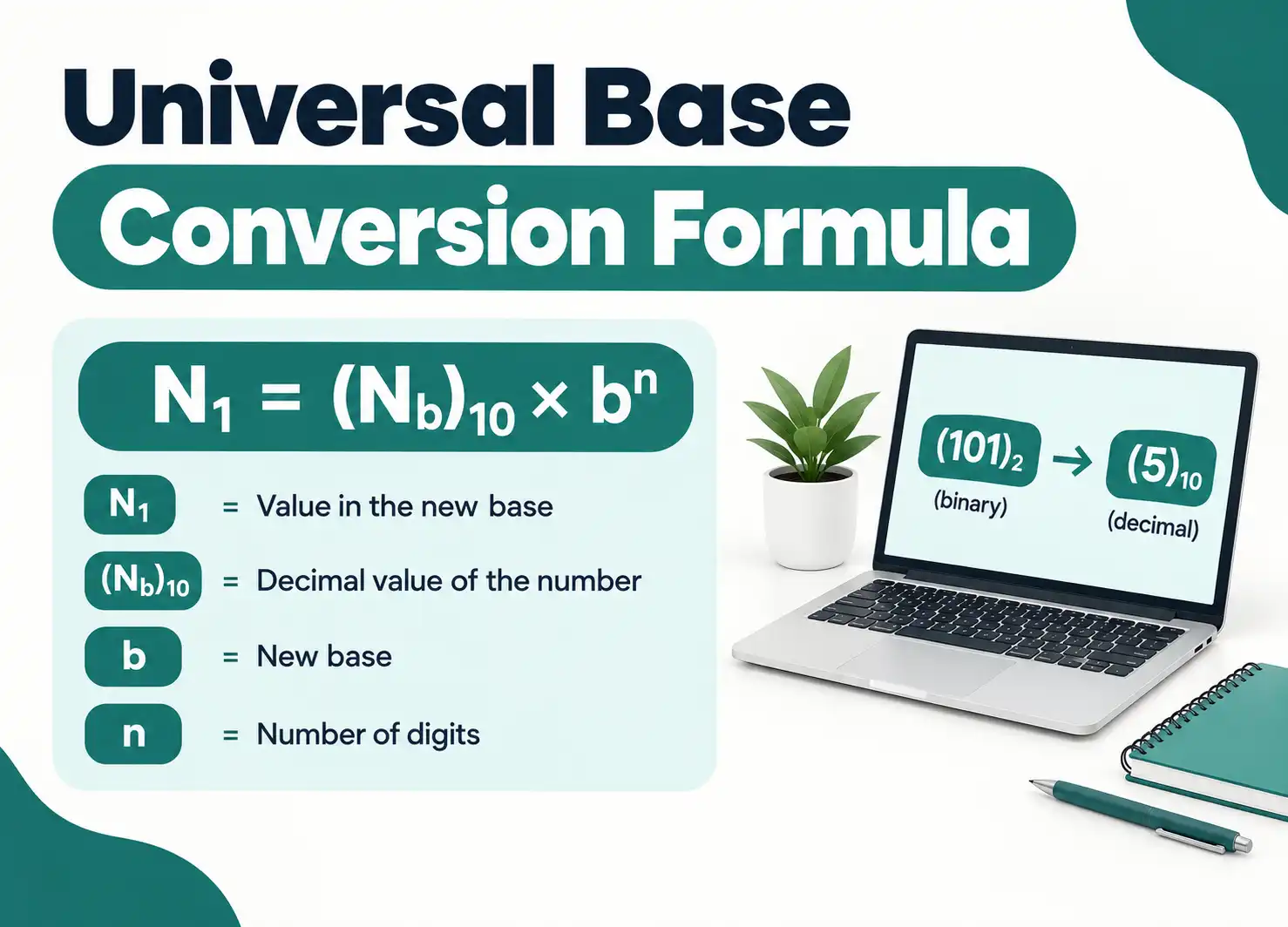
Universal Base Conversion Formula
For any base b, a number with digits d₃d₂d₁d₀ equals:
(d₃ × b³) + (d₂ × b²) + (d₁ × b¹) + (d₀ × b⁰)
Binary uses b = 2. Decimal uses b = 10. Hexadecimal uses b = 16. The math stays the same.
When you convert binary numbers into decimal, you’re applying this formula with b = 2. Converting hex to decimal applies it with b = 16.
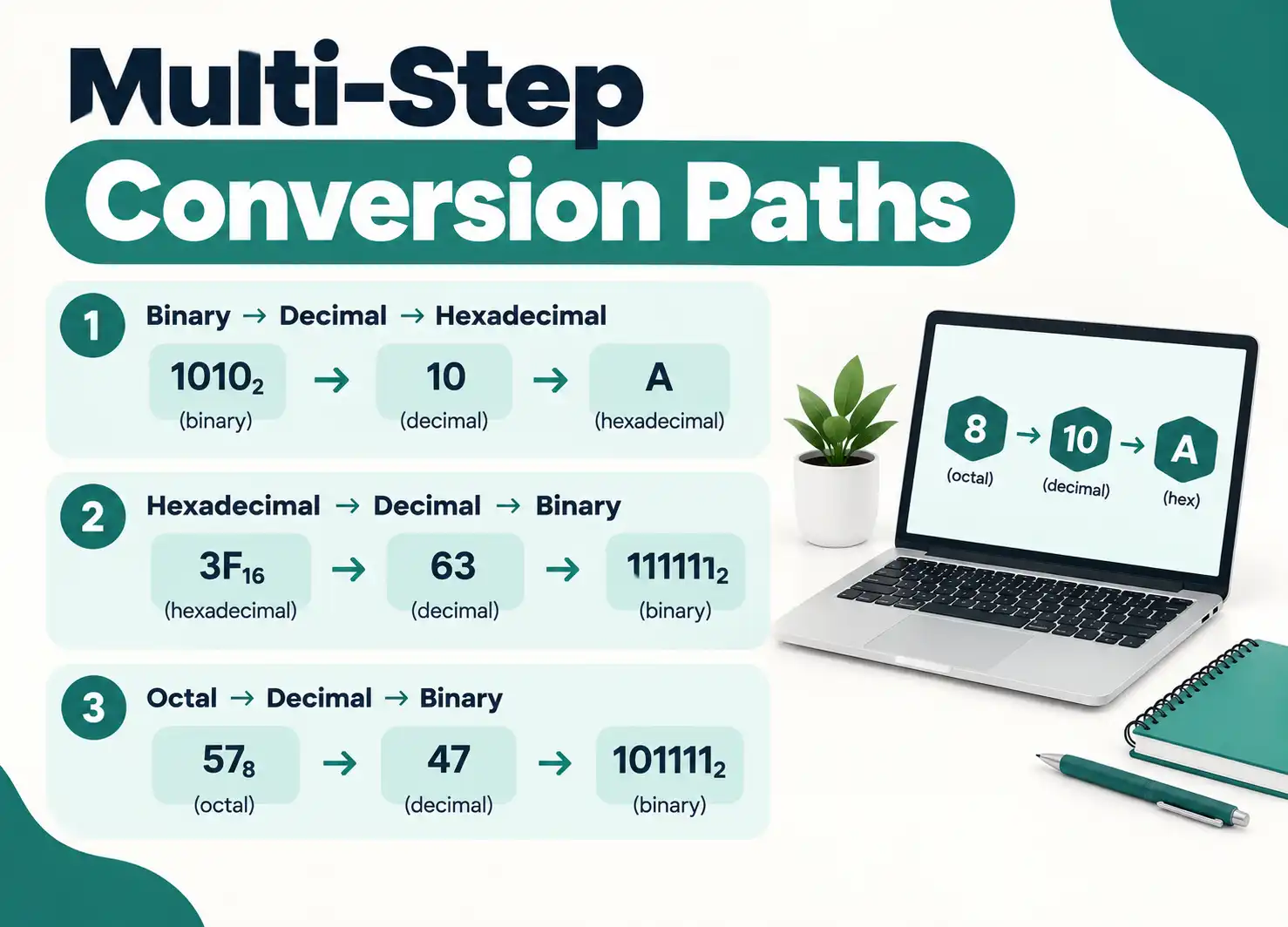
Multi-Step Conversion Paths
Sometimes converting through an intermediate base is easier. Binary to decimal is direct, but binary to octal to decimal might be faster for very long binary strings:
- Group binary by threes
- Convert each group to octal
- Convert the octal number to decimal
For 101110011, group as 101 110 011 = 5 6 3 in octal. Then convert 563₈ to decimal: (5 × 64) + (6 × 8) + (3 × 1) = 320 + 48 + 3 = 371.
Direct binary to decimal gives the same answer but might involve more calculation steps.
What Tools and Resources Help with Binary Conversion?
Binary conversion tools include online calculators, programming language built-ins, command-line utilities, calculator apps with programmer modes, and browser developer consoles. Educational resources like tutorials, reference tables, and practice problems build conversion skills.
Having the right tools speeds up work and reduces errors.
Online Conversion Tools
Web-based binary to decimal converters offer convenience:
- No installation required
- Accessible from any device
- Often include multiple conversion modes
- Free to use
- Some show step-by-step workings
Quality converters validate input, handle large numbers, support signed interpretation, and explain the conversion process. Look for tools that run locally in your browser for privacy and speed.
Programming Tools
Most programming languages make conversion simple:
- Python: bin(), oct(), hex() for converting to strings; int(x, base) for parsing
- JavaScript: toString(base) method on numbers; parseInt(string, base) for parsing
- Java: Integer.toBinaryString(), Integer.parseInt(string, radix)
- C++: std::bitset for binary manipulation, std::stoi with base parameter
These functions handle edge cases, validate input, and run efficiently. Use them in production code rather than implementing conversion from scratch unless you’re learning or need unusual behavior.
Calculator Applications
Scientific and programmer calculators include base conversion:
- Windows Calculator (programmer mode): supports binary, octal, decimal, hex
- macOS Calculator (programmer mode): similar features
- Mobile calculator apps: many offer programmer modes
- Physical calculators: TI and HP models often include base conversion
Programmer calculators also handle bitwise operations, letting you see how AND, OR, XOR, and shifts affect binary values.
Reference Materials
Keep these resources handy:
- Powers of 2 table (2⁰ through 2⁶⁴)
- Common binary-decimal pairs
- ASCII table showing character binary codes
- Subnet mask reference for networking
- Two’s complement explanation
Printed reference cards or bookmarked web pages give quick answers without running conversions. Over time you’ll memorize frequent values.
How Can You Practice and Improve Binary Conversion Skills?
Practice binary conversion through deliberate exercises: convert random numbers daily, work practice problems of increasing difficulty, use flashcards for common values, time yourself to build speed, and explain the process to others. Consistent practice builds automatic recognition.
Conversion skill develops through repetition and variety. Mix methods and difficulty levels to build robust understanding.
Structured Practice Exercises
Start with simple conversions and progress to complex ones:
- Week 1: 4-bit binary numbers (0000 to 1111)
- Week 2: 8-bit numbers without carries (01010101 type patterns)
- Week 3: 8-bit numbers with multiple carries
- Week 4: 16-bit numbers
- Week 5: Signed numbers and two’s complement
- Week 6: Fractional binary numbers
Do ten conversions per day. Time yourself and track improvement. Mix positional and double dabble methods to stay flexible.
Real-World Application Practice
Apply conversion in context:
- Decode IP addresses to binary and back
- Convert file sizes from bytes (decimal) to understand binary storage
- Analyze color codes (RGB values in decimal, hex, and binary)
- Work with Unix file permissions (octal to binary to understand read/write/execute flags)
- Calculate subnet ranges (requires binary manipulation of addresses)
Contextual practice cements knowledge better than abstract drills. You remember conversions when they solve actual problems.
Teaching as Learning
Explaining binary conversion to someone else reveals gaps in your understanding:
- Walk a friend through converting a number
- Write a tutorial or blog post explaining the process
- Create a video demonstration
- Answer questions on forums or Stack Overflow
- Tutor students learning the topic
Teaching forces you to organize knowledge clearly and anticipate confusion. Your explanations get clearer as your grasp deepens.
Building Conversion Intuition
With enough practice, you start recognizing binary patterns:
- All 1s means (2ⁿ – 1) where n is the bit count
- A single 1 followed by zeros is a power of 2
- Alternating 10101010 is 170 in 8 bits
- Leading zeros don’t change the value
Pattern recognition lets you estimate values quickly or catch obvious errors. If someone claims 11111111 equals 300, you know it’s wrong because max 8-bit is 255.